 USD
USD
 Vertical Categories
Classification Folders
Browse All Classification Folders
Sub Categories

Advanced Filing Concepts
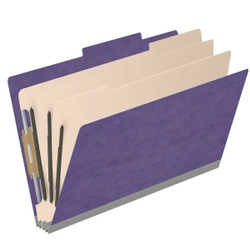
Dark Red Legal Size Pressboard Top Tab Classification Folder, 3 Dividers, 3" Expansion, 10/Box

Advanced Filing Concepts
Purple Legal Size Pressboard Top Tab Classification Folder, 3 Dividers, 3" Expansion, 10/Box


Advanced Filing Concepts
Pale Green Legal Size Pressboard Top Tab Classification Folder, 3 Dividers, 3" Expansion, 10/Box


Advanced Filing Concepts
Moss Green Legal Size Pressboard Top Tab Classification Folder, 3 Dividers, 3" Expansion, 10/Box


Advanced Filing Concepts
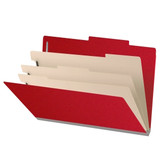
Black Legal Size Pressboard Top Tab Classification Folder, 3 Dividers, 3" Expansion, 10/Box

Advanced Filing Concepts
Deep Red Legal Size Pressboard Top Tab Classification Folder, 3 Dividers, 3" Expansion, 10/Box


Advanced Filing Concepts
Royal Blue Legal Size Pressboard Top Tab Classification Folder, 3 Dividers, 3" Expansion, 10/Box


Advanced Filing Concepts
Grey Legal Size Pressboard Top Tab Classification Folder, 3 Dividers, 3" Expansion, 10/Box


Advanced Filing Concepts
Gray/Green Legal Size Pressboard Top Tab Classification Folder, 3 Dividers, 3" Expansion, 10/Box


Advanced Filing Concepts
Yellow Legal Size Pressboard Top Tab Classification Folder, 3 Dividers, 3" Expansion, 10/Box


Advanced Filing Concepts
Blue Legal Size Pressboard Top Tab Classification Folder, 3 Dividers, 3" Expansion, 10/Box


Advanced Filing Concepts
Red Legal Size Pressboard Top Tab Classification Folder, 3 Dividers, 3" Expansion, 10/Box


Advanced Filing Concepts
Green Legal Size Pressboard Top Tab Classification Folder, 3 Dividers, 3" Expansion, 10/Box


Advanced Filing Concepts
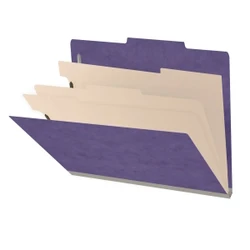
Dark Red Letter Size Pressboard Top Tab Classification Folder, 3 Dividers, 3" Expansion, 10/Box

Advanced Filing Concepts
Purple Letter Size Pressboard Top Tab Classification Folder, 3 Dividers, 3" Expansion, 10/Box


Advanced Filing Concepts
Pale Green Letter Size Pressboard Top Tab Classification Folder, 3 Dividers, 3" Expansion, 10/Box


Advanced Filing Concepts
Moss Green Letter Size Pressboard Top Tab Classification Folder, 3 Dividers, 3" Expansion, 10/Box

Advanced Filing Concepts
Peridot Letter Size Pressboard Top Tab Classification Folder, 3 Dividers, 3" Expansion, 10/Box


Advanced Filing Concepts
Black Letter Size Pressboard Top Tab Classification Folder, 3 Dividers, 3" Expansion, 10/Box


Advanced Filing Concepts
Deep Red Letter Size Pressboard Top Tab Classification Folder, 3 Dividers, 3" Expansion, 10/Box
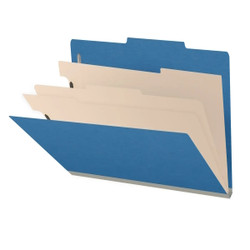

Advanced Filing Concepts
Royal Blue Letter Size Pressboard Top Tab Classification Folder, 3 Dividers, 3" Expansion, 10/Box
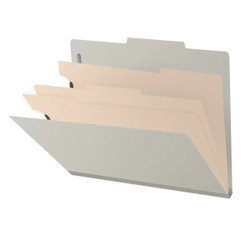
Advanced Filing Concepts
Grey Letter Size Pressboard Top Tab Classification Folder, 3 Dividers, 3" Expansion, 10/Box


Advanced Filing Concepts
Gray/Green Letter Size Pressboard Top Tab Classification Folder, 3 Dividers, 3" Expansion, 10/Box


Advanced Filing Concepts
Yellow Letter Size Pressboard Top Tab Classification Folder, 3 Dividers, 3" Expansion, 10/Box


Advanced Filing Concepts
Blue Letter Size Pressboard Top Tab Classification Folder, 3 Dividers, 3" Expansion, 10/Box


Advanced Filing Concepts
Red Letter Size Pressboard Top Tab Classification Folder, 3 Dividers, 3" Expansion, 10/Box


Advanced Filing Concepts
Green Letter Size Pressboard Top Tab Classification Folder, 3 Dividers, 3" Expansion, 10/Box
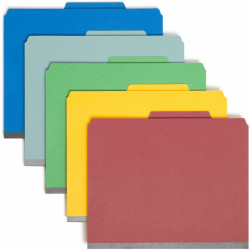

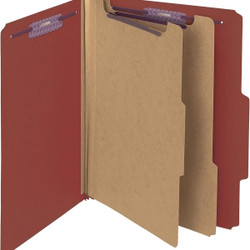

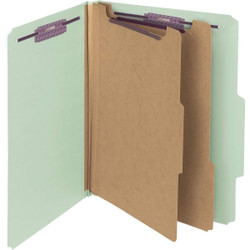
Top Tab Classification Folders for Organized Drawer Filing
Top tab classification folders combine the drawer-filing format of a standard top tab folder with internal dividers and fasteners that separate related documents into clearly organized sections. Instead of placing every document loosely inside one folder, classification folders make it possible to divide paperwork by subject, document type, date, department, or workflow stage.
These folders are designed for file cabinets, desk drawers, lateral file drawers, and other top tab drawer-filing systems where folder labels are viewed from above. They are commonly used for legal case files, employee records, project documents, accounting files, insurance records, medical administration, contracts, proposals, and other complex files containing several types of paperwork.
Choose from letter-size and legal-size classification folders with one, two, or three internal dividers, multiple fastener configurations, expansion capacity, folder colors, and durable manila or pressboard construction.
What Is a Classification Folder?
A classification folder is a multi-section file folder designed to organize related documents inside one main file. Internal dividers create additional filing surfaces, while fasteners hold punched documents securely and help preserve page order.
The inside front and back covers provide two filing sections. Each internal divider adds two more filing sections because documents can be secured to both sides of the divider. Depending on the folder construction, fasteners may be installed on the inside covers, divider surfaces, or in several positions throughout the folder.
- Top tab design: Keeps the identifying label visible in a drawer-filing system.
- Internal dividers: Add two filing sections for each divider.
- Built-in fasteners: Secure punched documents and help keep paperwork in the correct order.
- Expansion capacity: Provides room for growing files and thicker document sets.
- Durable construction: Supports complex files that receive more handling than ordinary loose-paper folders.
When Should You Use a Classification Folder?
Classification folders are useful when one record contains several groups of related documents that should remain together but need to be separated for faster review. They reduce the need to create multiple individual folders for the same employee, customer, case, project, or account.
- Choose classification folders when a standard folder does not provide enough internal organization.
- Choose them for multi-part records containing contracts, forms, correspondence, notes, reports, and supporting documents.
- Choose folders with more dividers when the record needs additional filing sections or document categories.
- Choose folders with fasteners when documents must remain secured and arranged in a consistent order.
- Choose expanding folders when files are expected to grow as new paperwork is added.
- Choose pressboard construction for active, bulky, or frequently handled records requiring greater support.
How Many Sections Does a Classification Folder Have?
Classification folders are commonly described by both divider count and total filing sections. The inside front and back covers provide two sections, and each divider adds two additional filing surfaces.
One divider creates four filing sections. This configuration works well for records that need several document groups, such as contracts, correspondence, forms, and supporting paperwork.
Shop 1-Divider Classification FoldersTwo dividers create six filing sections. This option provides more separation for employee files, legal records, projects, insurance documents, and other files containing several document categories.
Shop 2-Divider Classification FoldersThree dividers create eight filing sections for large or highly detailed records. This style is useful for complex legal cases, extensive project files, personnel records, and documentation involving multiple subjects or workflow stages.
Shop 3-Divider Classification FoldersDivider count, section count, and fastener count are related but are not always identical. Review each product listing to confirm the number of dividers, total filing sections, fastener locations, and expansion capacity.
How to Choose Top Tab Classification Folders
Letter-size classification folders are designed for standard 8-1/2" x 11" documents. Legal-size folders are longer and accommodate 8-1/2" x 14" contracts, court documents, real estate records, legal forms, and other longer paperwork.
Select the divider count according to the number of document groups that need to remain separate. One divider provides four filing sections, two dividers provide six sections, and three dividers provide eight sections.
Check the number and placement of fasteners before ordering. Some folders provide fasteners on the inside covers and both sides of the divider surfaces, giving each filing section a place for secured documents.
Expansion allows the folder to hold a thicker document set without forcing the covers closed. Select greater expansion for long-term records, active case files, or projects that will accumulate additional paperwork.
Manila classification folders can be suitable for lighter or routine filing. Pressboard classification folders provide greater stiffness and support for active, heavy, or frequently handled files.
Folder color can separate departments, record types, priorities, projects, customers, or workflow stages. Choose one consistent color or establish a simple color-coded filing system that staff can follow easily.
Benefits of Classification Folders with Fasteners
Built-in fasteners provide more control over multi-page records than a standard folder containing loose paperwork. Documents can be attached in a defined order and reviewed without removing the entire file.
- Preserve document order: Keep forms, reports, correspondence, and supporting records arranged consistently.
- Reduce loose paperwork: Secure punched documents so pages are less likely to fall out or become mixed with another file.
- Separate document categories: Give each filing section a specific purpose within the complete record.
- Support ongoing updates: Add new documents to the appropriate section as the file develops.
- Simplify file review: Allow users to locate one part of the record without searching through an undivided stack of papers.
Common Uses for Top Tab Classification Folders
Top tab classification folders are commonly used for drawer-based records that contain multiple document types or require a consistent internal structure.
Separate pleadings, discovery, correspondence, evidence, notes, signed documents, billing records, and supporting materials within one case file.
Organize applications, onboarding forms, payroll paperwork, benefit documents, performance reviews, training records, and employee correspondence.
Separate invoices, receipts, statements, tax forms, reports, correspondence, audit records, and client documentation.
Keep estimates, specifications, contracts, schedules, meeting notes, approvals, change orders, and completed work documentation together.
Organize applications, policies, claims, correspondence, supporting documents, authorizations, and payment records.
Separate forms, billing documents, insurance paperwork, authorizations, correspondence, personnel documents, and supporting administrative records.
Classification Folders vs. Standard File Folders
Standard file folders and classification folders can both organize documents in a drawer, but they are designed for different levels of complexity.
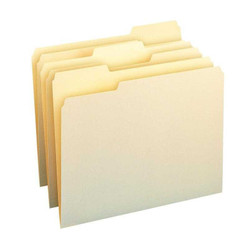
Best for straightforward records containing a smaller amount of loose paperwork. Standard folders generally do not provide internal dividers or multiple secured filing sections.
Best for larger or more complex records that need multiple filing sections, built-in fasteners, expansion capacity, and more durable construction.
Choose a standard folder for simple daily filing. Choose a classification folder when several related document groups must remain together but clearly separated inside the same file.
Top Tab vs. End Tab Classification Folders
Top tab and end tab classification folders provide similar internal organization, but they are designed for different filing equipment. The tab location determines how the folder is stored and viewed.
Designed for file cabinets, desk drawers, lateral file drawers, and other drawer-based systems where labels are viewed from above.
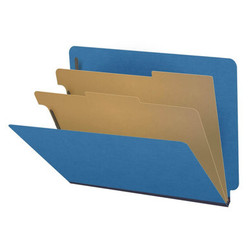
You are currently shopping this category.Designed for open-shelf filing systems where labels are positioned along the side edge and viewed from the aisle.
Shop End Tab Classification FoldersSelect the tab orientation that matches your existing filing equipment. A top tab classification folder should not be substituted for an end tab folder simply because the divider count or color is similar.
Top Tab Classification Folders - FAQ
Top tab classification folders are file folders with built-in dividers and fasteners that organize related documents into multiple filing sections. The tab is located along the top edge, making these folders suitable for drawer filing systems and standard file cabinets.
They are used for complex files that contain several types of related paperwork. Common uses include legal case files, employee records, accounting files, insurance documents, project files, client records, contracts, and other multi-part files.
A classification folder with one divider provides four filing sections. Two dividers provide six sections, and three dividers provide eight sections. Each divider adds two usable filing surfaces, one on each side. Fastener count and placement may vary by product.
Use a classification folder when one file needs multiple organized sections or when documents must remain securely fastened in place. Standard file folders work well for simpler records, while classification folders are better for files containing forms, correspondence, contracts, reports, notes, and supporting documents.
Top tab classification folders have the tab along the upper edge and are designed for file cabinets, desk drawers, and other drawer-filing systems where labels are viewed from above. End tab classification folders have the tab along the side edge and are designed for open-shelf filing where labels are viewed from the aisle.
Choose pressboard classification folders for bulky files, active records, frequent handling, or long-term storage that requires greater rigidity and durability. Manila classification folders are lighter and may be a more economical choice for routine files that do not require as much support.