 USD
USD

Unibind Binding
Unibind Binding Machines, Covers & Supplies
Unibind thermal binding turns printed pages into finished books using binding covers with a heat-activated adhesive in the steel spine. Shop genuine Unibind and Peleman binding machines, hard covers, Crystal Flex clear covers, binding spines and custom printed covers for reports, proposals and real estate presentations. Need help choosing a cover or spine size? Call 1-800-373-9133.
Shop Unibind Supplies
Sub Categories


Peleman (Unibind)
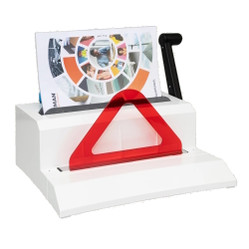
Unibind 11" Portrait Thermal Binding Spines with Temporary Covers


Peleman (Unibind)
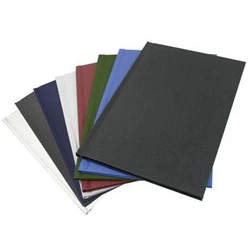
Clear Cover Sets for Unibind Thermal Binding Spines, 100 Sets

Peleman (Unibind)
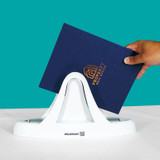
UniBinder 60 Thermal Binding Machine for Reports & Presentations
![UniBinder 120 Thermal Binding Machine by Unibind [251UB80USG1]](https://cdn11.bigcommerce.com/s-1p4wii2p9w/images/stencil/250x250/products/961/3599/251UB80USG1-2__49380.1756926978.jpg?c=1 "UniBinder 120 Thermal Binding Machine by Unibind [251UB80USG1]")

Peleman (Unibind)
UniBinder 120 Thermal Binding Machine with Manual Crimper

Peleman (Unibind)
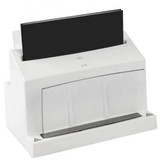
UniBinder 8.1 Automated Thermal Binding Machine with Crimper


Peleman (Unibind)
UniBinder 8.2 Automated Thermal Binding Machine with Crimper



Peleman (Unibind)
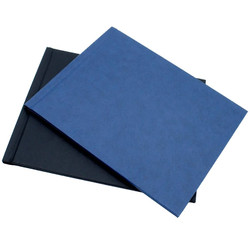
Unibind Standard Hardcover Thermal Binding Covers, Landscape, 10/Box


Peleman (Unibind)
Unibind 8-1/2" Landscape Thermal Binding Spines with Temporary Covers


Peleman (Unibind)
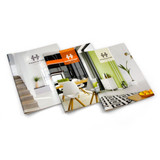
BHHS Custom Unibind Presentation Covers, Size 40, Soft-Touch, 10/Box


Peleman (Unibind)
Keller Williams Custom Unibind Presentation Covers, Size 40, Soft-Touch, 10/Box


Peleman (Unibind)
Century 21 Custom Unibind Presentation Covers, Size 40, Soft-Touch, 10/Box

Peleman (Unibind)
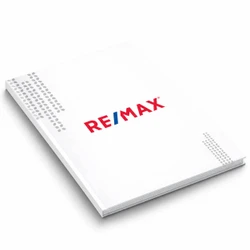
RE/MAX Custom Unibind Presentation Covers, Size 40, Soft-Touch, 10/Box

Peleman (Unibind)
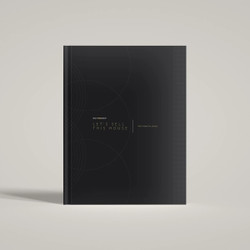
Realty One Group Custom Unibind Hard Covers, Size 40, Soft-Touch, 10/Box


Peleman (Unibind)
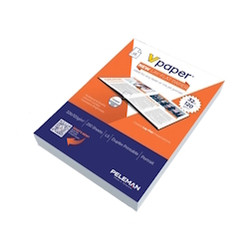
vPaper Lay-Flat Binding Paper, 32 lb / 120 gsm, Portrait, 250 Sheets/Ream

Peleman (Unibind)
vPaper Lay-Flat Binding Paper, 32 lb / 120 gsm, Landscape, 250 Sheets/Ream

See How Unibind Thermal Binding Works
Watch how Unibind creates clean, professional bound documents without punching, stapling, or comb binding. This demo helps explain why Unibind is a strong choice for reports, proposals, presentations, and custom bound documents.
Unibind Thermal Binding Covers & Supplies
Order Unibind and Peleman thermal binding supplies for existing binding machines or a new office setup. We carry hard covers, Crystal Flex clear covers, binding spines, custom covers, and replacement supplies in a variety of sizes and packaging quantities.
Unibind Hard Covers, Clear Covers & Binding Spines
Choose Unibind thermal binding covers based on how you want the finished document to look. Hard covers provide a rigid book-style finish, Crystal Flex covers have a clear front, and thermal binding spines allow you to use your own cover materials.
Unibind Cover Sizes & Spine Capacity
Unibind covers are available in different spine sizes to accommodate thin reports and thicker documents. Check the number of sheets, paper weight, and cover dimensions before ordering replacement covers or binding spines for your existing machine.
Unibind Thermal Binding Machines
Shop Unibind binding machines, including the UniBinder 60, UniBinder 120, UniBinder 8.1, and UniBinder 8.2. Compare document capacity and manual or automatic crimping before choosing a machine.
Custom Unibind Covers for Real Estate & Business Presentations
We supply custom Unibind covers with options for company logos, full-color printing, and foil stamping. Custom hard and soft covers are available for real estate presentations, proposals, manuals, and other bound documents. Minimum quantities and production times vary.
Replacement Unibind Supplies & Accessories
Already own a UniBinder? Find replacement thermal binding covers, steel binding spines, clear cover sets, and Unibind accessories, including vPaper. If you're replacing an older cover style or are unsure about compatibility, contact Advanced Filing Concepts with your machine model and the cover size you currently use.
Unibind FAQ
Unibind thermal binding is a document finishing system that uses a pre-glued steel spine inside the cover to bind pages together. You place your printed pages into the cover, insert the document into a Unibind machine, and the machine heats and cools the spine automatically. In about 60 to 90 seconds, you have a clean, professional, book-like document with no punched holes, no combs, and no loose pages.
Most documents are fully bound in about 60 to 90 seconds, depending on the cover size, spine width, paper weight, and machine used. This makes Unibind a fast option for offices, schools, and businesses that need a polished finished document without a complicated setup.
For many small businesses and general office use, the UniBinder 60 or UniBinder 120 is a strong place to start. The right machine depends on how often you bind, the document sizes you use, and how many books you need to produce at one time. If you are not sure which model fits your workflow, we can help you choose the right machine and cover combination.
Unibind Hard Covers are the premium option and are ideal for proposals, presentations, and other customer-facing documents where a more polished look matters. Soft Covers are a practical choice for everyday reports, manuals, and office documents. Crystal Flex Covers combine a clear front with a steel spine, making them a good fit when you want the front page to remain visible while still getting a professional thermal bind.
Choosing the correct spine size depends on your page count, paper thickness, and cover type. A cover that is too small may not bind properly, while a cover that is too large may not give the finished look you want. Our spine size chart is a helpful starting point, and if you are unsure, we can help you match the right cover size to your document.
Binding with Unibind is quick and efficient. Most documents are fully bound in under 90 seconds. Simply place your materials into a Unibind thermal binding cover, insert it into the machine, and let the system heat-seal your documents for a professional finish.
Yes. Many Unibind hard and soft covers can be customized with foil stamping, printed logos, custom text, and other branded finishing options. This is a popular choice for proposals, welcome books, branded presentations, photobooks, and other premium documents where appearance matters.
Unibind works well for proposals, presentations, reports, manuals, training materials, onboarding packets, photobooks, and other bound documents that need to look clean and professional. It is especially well suited for customer-facing materials where you want a stronger finished impression than comb or coil binding usually provides.
Unibind creates a cleaner, more professional finished document because it does not require punched holes. It is also quick to use and provides a durable steel spine bind that is well suited for business presentations, reports, and premium printed materials. For many offices and organizations, Unibind offers a better-looking alternative to plastic combs, coils, or other basic binding methods.