 USD
USD

Virtual Label Software & Labels
Shop Virtual Label Software & Label Stock
Sub Categories


VirtualDoxx
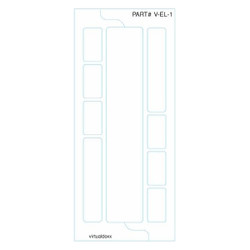
Ink Jet / Laser 1-up Envelope Sized Labels with Strip Label, 250/Pack (V-EL-1)
Why Choose Virtual Labels Software?
Virtual Labels is a file folder label printing system built for organizations that need faster, more consistent records management. It supports custom label designs for side tab folders, top tab folders, master folders, sub-folders, folder front labels, and archive applications. Whether you need simple text labels or more advanced designs with color-coding, barcodes, and RFID scalability, Virtual Labels is designed to adapt to the way your filing system actually works.
- Custom label designs: Supports unlimited label designs at no additional cost.
- Flexible label formats: Works with multiple sheet layouts, label sizes, and positions.
- Supports real filing applications: Handles side tab, top tab, master folder, sub-folder, and folder front labels.
- Secure by design: Virtual Labels does not store customer data or expose data to the internet, and the software operates behind customer firewalls and security systems.
- Try before you pay: Systems can be set up to confirm they perform as expected before invoicing is due.
Smarter Label Printing and Easier Workflow
Virtual Labels is designed to make printing easier whether you need one label or an entire batch. Users can enter information directly, preview labels before printing, and print to common inkjet and laser printers. For larger jobs, the software also supports spreadsheet-based workflows so teams can prepare and print multiple labels more efficiently.
- Single-label or batch printing: Print one label at a time or prepare larger runs for faster output.
- Spreadsheet import support: Import data from spreadsheet files for batch label printing.
- Preview before you print: Review labels on screen before sending them to the printer.
- Printer alignment tools: Built-in alignment controls help fine-tune print placement for accurate label positioning.
- User-specific access: Administrators can control which label designs each user can access.
ColorBar Conversion Help, Barcode Support, and RFID Scalability
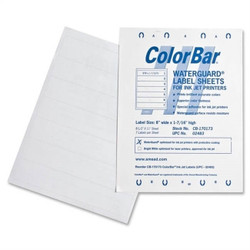
Virtual Labels is a strong option for customers who need to replicate or replace older file folder labeling systems. If you are working from an existing ColorBar setup, Virtual Doxx can review PDFs, screenshots, or sample layouts and confirm whether the system can be replicated. Virtual Labels also scales beyond basic printing with support for barcode labeling, RFID-enabled file tracking, and larger records management workflows.
- ColorBar conversion help: Existing label formats can often be replicated from documents, PDFs, and screen captures.
- Barcode-ready label printing: Supports label designs used for faster identification and retrieval.
- RFID scalability: Can expand into RFID-based file finding, inventories, and tracking workflows.
- Records management support: Virtual Labels can scale into file tracking, check-in/check-out, status management, retention compliance, audits, and reporting.
- Professional support: Turn-key system design, implementation, training, and ongoing support are available.
Who Uses Virtual Labels?
Virtual Labels is well suited for organizations that manage active files and need consistent, easy-to-read labeling across departments or locations. It is commonly relevant for medical offices, legal practices, government agencies, financial institutions, and corporate records departments that want a more standardized and scalable file labeling process.
- Medical offices: Improve file identification and support organized active records systems.
- Legal practices: Standardize client and case file labeling for faster retrieval.
- Government and finance: Support structured records management and retention workflows.
- Corporate records departments: Create more consistent label formats across teams and locations.