 USD
USD

Unibind Supplies

Browse All Unibind/Peleman Supplies
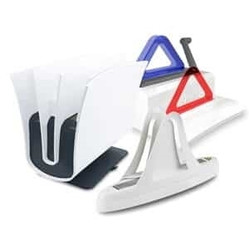
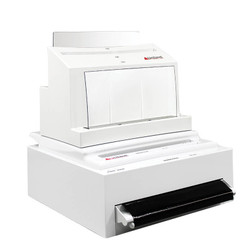
Unibind Covers & Supplies – Print Shop Quality, In Minutes
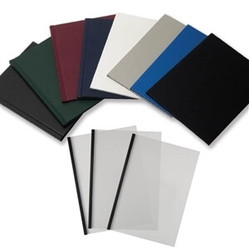
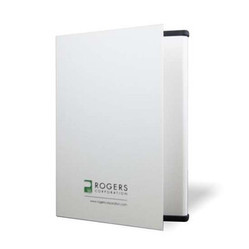
Make proposals, reports, and client-facing documents look finished fast with Unibind® / Peleman thermal binding supplies. Choose Unibind Hard Covers (optional window, 8 colors) for executive presentations, Crystal Flex covers for a clean, clear front, or steel-spine soft/standard covers in multiple spine widths for everything from slim briefs to thick project books.
Want a fully branded finish? Add foil-stamped logos or custom text and turn everyday paperwork into a premium deliverable.
- No punching required: clean, professional binding without comb/coil holes.
- Consistent results: heat-activated steel spines create a durable, tamper-resistant bind.
- Cover options for every use: hard, soft, and clear-front solutions.
- Fast turnaround: perfect for deadline-driven offices and schools.
How to Choose the Right Unibind Cover
- Step 1 – Pick your finish. Hard covers for premium presentations, Crystal Flex for a clean modern look, or soft covers for everyday documents.
- Step 2 – Match the spine width to your page count. Thermal binding works best when the spine size is selected for the thickness of your stack.
- Step 3 – Decide on branding options. Optional windows, foil-stamped logos, or custom text create a true “final product” feel.
- Step 4 – Pair with the right system (if needed). If you’re building a full setup, match your covers with a UniBinder machine that fits your volume and format.
Unibind vs. Other Binding Methods
If your goal is a professional, book-like finish without punching holes, thermal binding is hard to beat. Here’s a quick side-by-side comparison:
| Feature | Unibind (Thermal Binding) | Spiral Binding | Comb Binding |
|---|---|---|---|
| Finish | Polished, high-end look | Casual, plastic coil | Basic plastic comb |
| Setup | No punching required | Requires hole punching | Requires hole punching |
| Speed | Fast turnaround (bind in minutes) | Slower (punch + bind) | Slower (punch + bind) |
| Durability | Strong, tamper-resistant bind | Moderate | Can loosen over time |
| Best For | Client docs, proposals, presentations | Schools, manuals | Basic office documents |
Explore the Complete Unibind System
- Unibind Covers & Spines: Hard, soft, and Crystal Flex covers in multiple finishes and spine sizes.
- Unibind Binding Machines: Choose from UniBinder series machines like the UniBinder 8.2, 8.1, 120, and 60.
- Accessories & Add-ons: Portfolios, Vpaper, pockets, and finishing pieces to elevate your deliverables.
- Branding & Personalization: Flatbed Foil Printer and personalization solutions for a premium branded finish.
Why Choose Advanced Filing Concepts for Unibind?
- Unibind specialists: We help match covers, spine widths, and systems so you don’t waste time (or covers).
- Full system support: Covers, machines, accessories, and branding options in one place.
- Fast, reliable delivery: In-stock items ship quickly from our U.S. operation so you can hit deadlines.
- Custom cover help: We’ll act as your liaison on custom projects so proofs and expectations match.
Talk to a Unibind Specialist
Tell us what you’re binding (page count, size, finish, and how many per week) and we’ll point you to the best cover + system combo for a professional result every time.
Unibind FAQ
Unibind is a thermal binding system from Peleman that uses steel spines and pre-glued covers to bind your documents. You place your pages into a Unibind cover, set it in the machine, and the system heats and cools the spine so the adhesive grabs the paper. In a minute or so you have a clean, book-like document with no punching, no plastic combs, and no loose pieces to assemble.
The binding cycle is fast. Most documents are ready in roughly 60–90 seconds, depending on the spine size and machine. You place the document in the cover, set it on the heating plate, and the machine handles the heat and cool-down automatically. By the time you’ve straightened the next stack of pages, the first document is usually done.
For most small businesses we usually recommend starting with the UniBinder 60 or UniBinder 120:
Unibind offers a versatile range of thermal binding covers:
- Unicover Hard: Hardcover options for a premium, book-like finish.
- Unicover Soft: Premium soft covers that pair perfectly with hardcovers.
- Unicover Flex: Flexible, durable clear covers for everyday use.
- Unicover Spine: Spine-only binding; ideal for custom covers or inserts.
These covers, developed with Peleman’s attention to detail, deliver consistent quality and professional results.
Yes, Unibind hard and soft covers can be customized to suit your needs. Options include adding your company logo, title text, or unique designs to covers like the Unicover Hard and Unicover Soft. Customization options, such as window cutting, foil stamping, and full-color printing, allow you to showcase your brand or personalize your materials.
Binding with Unibind is quick and efficient. Most documents are fully bound in under 90 seconds. Simply place your materials into a Unibind thermal binding cover, insert it into the machine, and let the system heat-seal your documents for a professional finish.
Yes! Unibind machines are designed to be simple and user-friendly. Just place your document in a binding cover, insert it into the machine, and let it work automatically. These machines, developed with Peleman’s expertise, ensure consistent, professional results without the hassle of manual binding methods.
Along with machines and covers, we also offer:
- Lay-Flat Vpaper®: Special paper that helps bound documents lie flatter and feel more like a printed book.
- Portfolios and presentation covers: For transporting and handing off your bound documents in a more polished way.
- Business card pockets: Clear pockets you can stick inside the cover so your contact info stays with the document.
With Unibind, there’s no punching or manual assembly. Thermal adhesive inside the spine grabs your pages when heated, then sets as it cools. Compared to spiral or comb binding, Unibind:
- Gives you a clean, book-like edge instead of exposed holes and coils.
- Is usually faster for multiple documents, because you’re not punching each set.
- Is easier for staff to learn and use without a lot of setup or maintenance.
For client-facing materials, proposals, or manuals you hand out in person, the finished product simply looks more like a professionally printed book.